How to Register Through the QR Code for Electricity Relief on FESCO Bill (2026 Complete Guide)
Quick Answer: To register through the QR code for electricity relief on your FESCO bill, open your phone’s camera, scan the QR code printed on your monthly electricity bill, enter your CNIC, 14-digit Reference Number, and active mobile number on the official CSS PITC portal (css.pitc.com.pk), then complete the OTP verification. Eligible protected consumers using under 200 units will continue receiving subsidized electricity rates automatically on future bills.
If you are a FESCO consumer struggling with rising electricity costs, the QR Code Electricity Relief Registration introduced by the Government of Pakistan in 2026 is one of the most important updates you cannot ignore. This digital verification system, managed by the Power Information Technology Company (PITC) under the Cross Subsidy Scheme (CSS), allows protected domestic consumers to keep receiving electricity bill relief without standing in long office queues.
What Is the QR Code Electricity Relief Program in Pakistan?
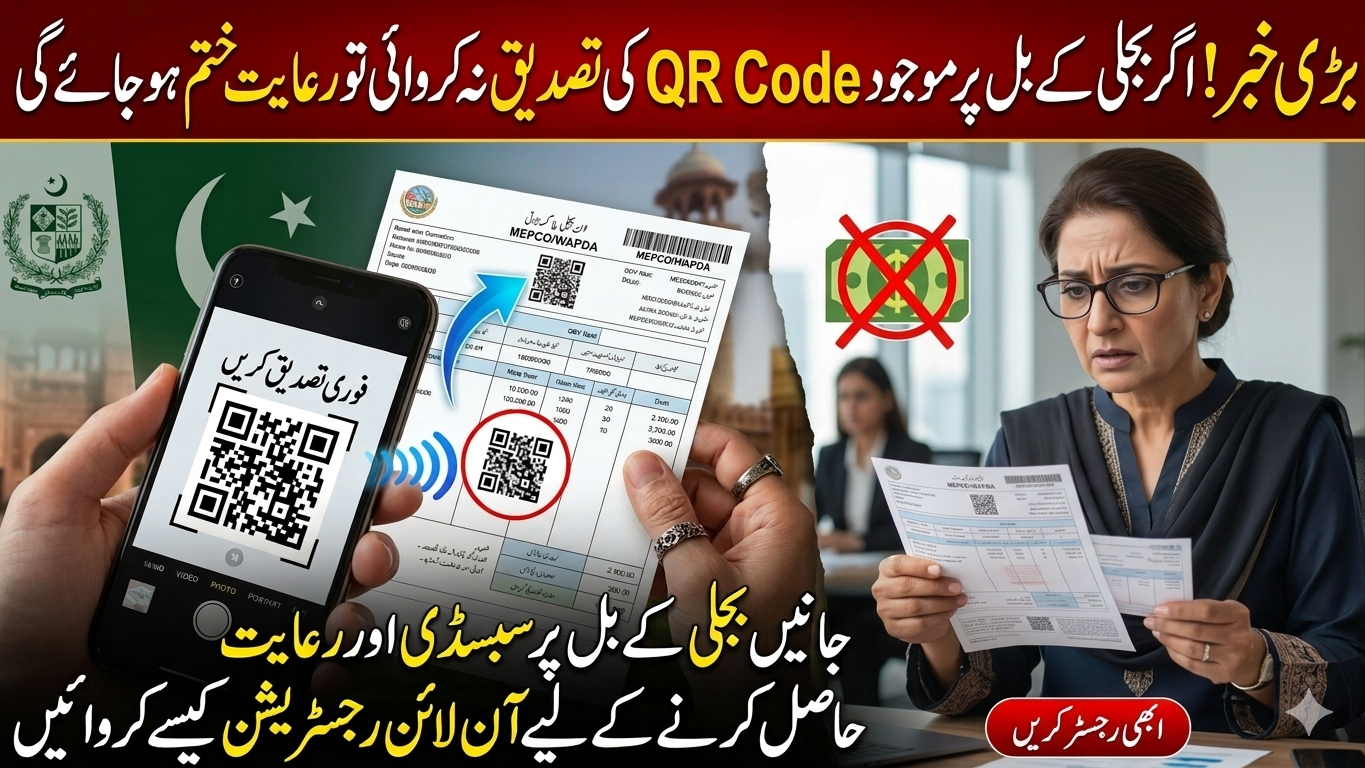
The QR Code Electricity Relief Program is a digital verification system launched by Pakistan’s Power Division to ensure that electricity subsidies reach only eligible low-income households. Every monthly bill from FESCO bill, or any city bill now carries a scannable QR code linked to the PITC subsidy portal.
This initiative is part of the Cross Subsidy Scheme (CSS) designed to:
- Stop misuse of subsidy funds by ineligible consumers
- Verify domestic users through CNIC and NADRA records
- Provide protected tariff benefits to households consuming under 200 units per month
- Eliminate the need for office visits or middlemen
Important: If you ignore the QR code verification on your FESCO bill, your subsidy may stop in upcoming billing cycles and your per-unit charges could increase significantly.
Who Is Eligible for FESCO Electricity Relief in 2026?
Before scanning the QR code, confirm whether you qualify. The PITC system checks three conditions automatically:
| Eligibility Criterion | Requirement |
|---|---|
| Tariff Class | Domestic connection only (commercial, industrial, agricultural meters excluded) |
| Monthly Usage | Rolling 6-month average must stay within the protected slab (1–100 or 101–200 units) |
| CNIC Verification | Name on bill must match NADRA records |
| Connection Status | Active FESCO meter with no disconnection record |
Areas covered by FESCO include Faisalabad, Jhang, Sargodha, Mianwali, Khushab, Bhakkar, Chiniot, and Toba Tek Singh. If you live in these districts and use limited electricity units monthly, you are likely a protected consumer eligible for relief.
What You Need Before Registration
Keep the following ready on your phone or table before scanning the QR code:
- Your latest FESCO electricity bill (with a visible QR code)
- Original CNIC (13-digit number, no dashes)
- Active mobile number registered in your name (for OTP)
- 14-digit Reference Number (printed on the top of your bill)
- Smartphone with a working camera and internet connection
Step-by-Step: How to Register Through the QR Code for Electricity Relief
Follow these seven steps carefully to complete your FESCO QR code subsidy verification without errors.
Step 1: Locate the QR Code on Your FESCO Bill
Pick up your most recent FESCO bill. You will see two QR codes on bills issued in 2026. Look for the one labelled “Subsidy Verification” or “Scan for Electricity Relief” — usually printed near the bill amount or on the back side. The other QR code is typically for bill payment.
Step 2: Open Your Smartphone Camera
On most Android and iPhone devices, the default camera app automatically detects QR codes. Simply:
- Unlock your phone
- Open the Camera app
- Point it at the QR code on your bill (keep the bill flat and well-lit)
- Wait 2–3 seconds for the link to appear at the top of your screen
If your camera does not detect the code, download a free QR scanner app from the Google Play Store such as “QR Code Reader” or use Google Lens.
Step 3: Open the Official PITC Registration Page
Tap the link that appears on your screen. It will redirect you to the official portal: https://css.pitc.com.pk/check-eligibility
Safety Warning: Only continue if the URL begins with
https://css.pitc.com.pk. Do not enter your information on any other website claiming to offer electricity relief. Fraud cases are rising sharply in rural areas.
Step 4: Enter Your Reference Number
On the eligibility page, type your 14-digit Reference Number exactly as printed on your FESCO bill. The format looks like this:
XX XXXX XXXX XXXX
Remove all spaces and dashes when entering. The portal automatically detects whether you have a legacy 14-digit number or the newer 10-digit Consumer ID.
Step 5: Complete CNIC and Mobile Verification
After your reference number is validated, you will be asked to enter:
- CNIC Number (13 digits, no dashes)
- Mobile Number (registered against your CNIC in NADRA records)
- Full Name (matching your CNIC)
- District / Area Information
Double-check every field before submitting. Even a single wrong digit will cause the verification to fail.
Step 6: OTP Confirmation
The system will send a 6-digit One-Time Password (OTP) to your registered mobile number. Enter the OTP within 2 minutes to confirm your identity. If you don’t receive it:
- Check your mobile signal
- Ensure your SIM is registered in your name
- Tap “Resend OTP” after 60 seconds
Step 7: View Verification Result
Once the OTP is verified, the portal performs a final eligibility check against PITC and NADRA databases. You will see one of three messages:
- ✅ “VERIFIED” — Your subsidy will continue on future FESCO bills automatically
- ⚠️ “Pending Review” — Authorities are reviewing your application
- ❌ “Not Eligible” — Your usage exceeds 200 units or details don’t match
If verified successfully, take a screenshot for your records. No further action is needed — the relief will reflect directly on your next monthly bill.
How Much Electricity Relief Will You Receive on Your FESCO Bill?
The actual subsidy amount depends on your monthly consumption slab:
| Monthly Usage | Approximate Subsidy | Tariff Category |
|---|---|---|
| 1–50 units | Up to Rs. 2,000–3,000 | Lifeline consumer |
| 51–100 units | Rs. 1,500–2,500 | Protected (Slab 1) |
| 101–200 units | Rs. 1,000–1,800 | Protected (Slab 2) |
| 201+ units | No subsidy | Unprotected |
For example, a household using 76 units per month may see approximately Rs. 1,760 in government subsidy deducted from their bill after successful QR code verification.
Common Problems and How to Fix Them
Based on hundreds of consumer reports, these are the most frequent issues with FESCO QR code registration — and their solutions.
Problem 1: “QR Code Not Scanning”
- Clean your phone camera lens
- Improve lighting on the bill
- Try a dedicated QR scanner app
- If the bill is damaged, request a duplicate from your nearest FESCO subdivision office
Problem 2: “Link Not Opening in Browser”
The PITC servers sometimes face heavy traffic, especially in the first week of every month. Try:
- Waiting 30 minutes and retrying
- Switching from mobile data to Wi-Fi (or vice versa)
- Opening the URL manually: css.pitc.com.pk
- Clearing your browser cache
Problem 3: “CNIC Does Not Match”
This usually happens when the bill is registered in someone else’s name (a previous owner, a deceased relative, or a landlord). You must:
- Visit your nearest FESCO Customer Service Centre
- Submit a Title Transfer Application with your CNIC, sale deed, or rent agreement
- Wait 15–30 days for the records to update
- Retry the QR registration after the update
Problem 4: “Not Eligible” Message
If the system says you are not eligible, the most common reasons are:
- Your 6-month rolling average exceeds 200 units
- Your meter is registered as commercial or industrial
- You have multiple active connections under one CNIC
- Your bill payment history shows defaults
You can reapply after reducing your monthly consumption and waiting for the rolling average to drop.
Why the Government Introduced QR Code Verification
Earlier, electricity subsidies in Pakistan were distributed automatically based on meter readings alone. This created several problems:
- Wealthy households with low-usage second meters claimed subsidies
- Commercial users misclassified their meters as domestic
- Billions of rupees in subsidy funds were lost annually
- Deserving low-income families faced rising bills
The QR Code Electricity Relief System uses CNIC-NADRA verification to ensure subsidies reach only genuine protected consumers. This brings transparency to a system that processes over 21 million bills monthly across all DISCOs.
Tips to Keep Receiving FESCO Electricity Relief
Once verified, you must maintain your eligibility every month. Follow these expert tips:
- Monitor your daily usage — Stay below the 200-unit monthly threshold
- Use energy-efficient appliances — LED bulbs, inverter ACs, and 5-star rated fans
- Avoid running heavy appliances during peak hours (6 PM – 11 PM)
- Pay every bill on time — Late payments may affect your protected status
- Re-verify annually — If asked by FESCO or PITC
- Update your CNIC mobile number with NADRA if you change your SIM
Pro tip: Save the verification confirmation screenshot and your registration date — you may need them if your subsidy is questioned in future billing cycles.
How to Check Your Registration Status Online
To check whether your FESCO subsidy registration is active:
- Visit https://css.pitc.com.pk
- Click “Check Eligibility”
- Enter your 14-digit Reference Number
- View your current status (Verified / Pending / Not Eligible)
You can also dial FESCO Helpline 118 or PITC Helpline 042-99332726 for assistance.
Frequently Asked Questions (FAQs)
Is the QR code registration mandatory for FESCO consumers?
Yes. From 2026 onwards, QR code verification is mandatory for all protected consumers who want to continue receiving electricity bill subsidies. Without verification, your subsidy will be stopped and you will be charged the unprotected tariff rate.
Is there any fee for QR code electricity relief registration?
No. The registration is completely free of charge. Never pay any agent, shopkeeper, or third party who claims to do the registration for a fee — it is a scam.
Can I register if I don’t have a smartphone?
Yes. Ask a family member, neighbour, or relative with a smartphone to scan the QR code and complete the registration. You will only need your CNIC and active mobile number for OTP.
How long does verification take?
In most cases, verification is instant after OTP confirmation. Some applications may take 24–72 hours if NADRA database checks are required.
Will the subsidy be credited to my bank account?
No. The subsidy is directly adjusted in your monthly FESCO bill — there is no cash transfer. You will simply see a reduced amount payable.
What if I move to a new house?
You will need to register again using the new connection’s Reference Number. Your previous registration cannot be transferred to a new meter.
Can renters apply for electricity relief?
Yes, if the meter is in your name or you have a verified Title Transfer. If the bill is in the landlord’s name, you will need their cooperation or apply for a separate connection.
What is the difference between QR code verification and BISP?
The QR Code Electricity Relief is for electricity bill subsidies via PITC. BISP (Benazir Income Support Programme) provides cash assistance via 8171 web portal. They are separate programs but BISP beneficiaries are often automatically eligible for electricity relief too.
What happens if I don’t register?
If you don’t complete QR code registration, your subsidized tariff will be revoked in upcoming bills, and you may face significantly higher per-unit charges — sometimes increasing your monthly bill by Rs. 2,000–5,000.
Final Words
The QR Code Electricity Relief Registration is a powerful step toward a transparent, fair subsidy system in Pakistan. For FESCO consumers in Faisalabad, Sargodha, Jhang, and surrounding districts, completing this verification is not optional — it is essential to keep your monthly electricity bill affordable in 2026.
The whole process takes just 5 minutes from home. Scan the QR code on your bill, enter your CNIC and reference number, verify the OTP, and you’re done. Eligible families will continue enjoying protected tariff rates with no extra paperwork required.
If you found this guide helpful, share it with friends and family members across FESCO regions so they can also benefit from electricity relief. For more updates on FESCO bills, calculators, and electricity subsidies, explore our other resources.